Built for builders, researchers, and 0→1 creators

Save URLs in one click.
Quickly check it out in your spare time.

One-click bookmarking with a Chrome Extension —Everything auto-expires in 6 months, so only the context that matters now stays with you — without clutter from outdated information.

ForEngineersFoundersResearchersStudentsIndie hackers
Watch Video
Loved by 0→1 creators
No credit cardGoogle login30-second setupAuto-delete in 6 months
1
Save the URL address.
Save
https://example.com/url-address+ add
2
See it in url list
Auto-layout
Dynamic View of saved URLs
3
Review before it expires. Every URL auto-deletes in 6 months — so you actually revisit what matters.
01 / About

I'm gathering information.
But I can't remember.

The more you research, the more you lose.

I saved that article for later. Now I can't find it.

What we solve

Found something useful?

  • Save it.
  • Review later.
  • Share when needed.

That's url-storage.

01

1-Click Save

One click from the browser. No copy-paste.

02

Review

Dynamic or List — see everything at a glance.

03

Share

Publish your stash as a public collection.

02 / Movie

Learn about url-storage

Check out the workflow video. Watch it work.

Not loading?Watch on YouTube →

01

Basic

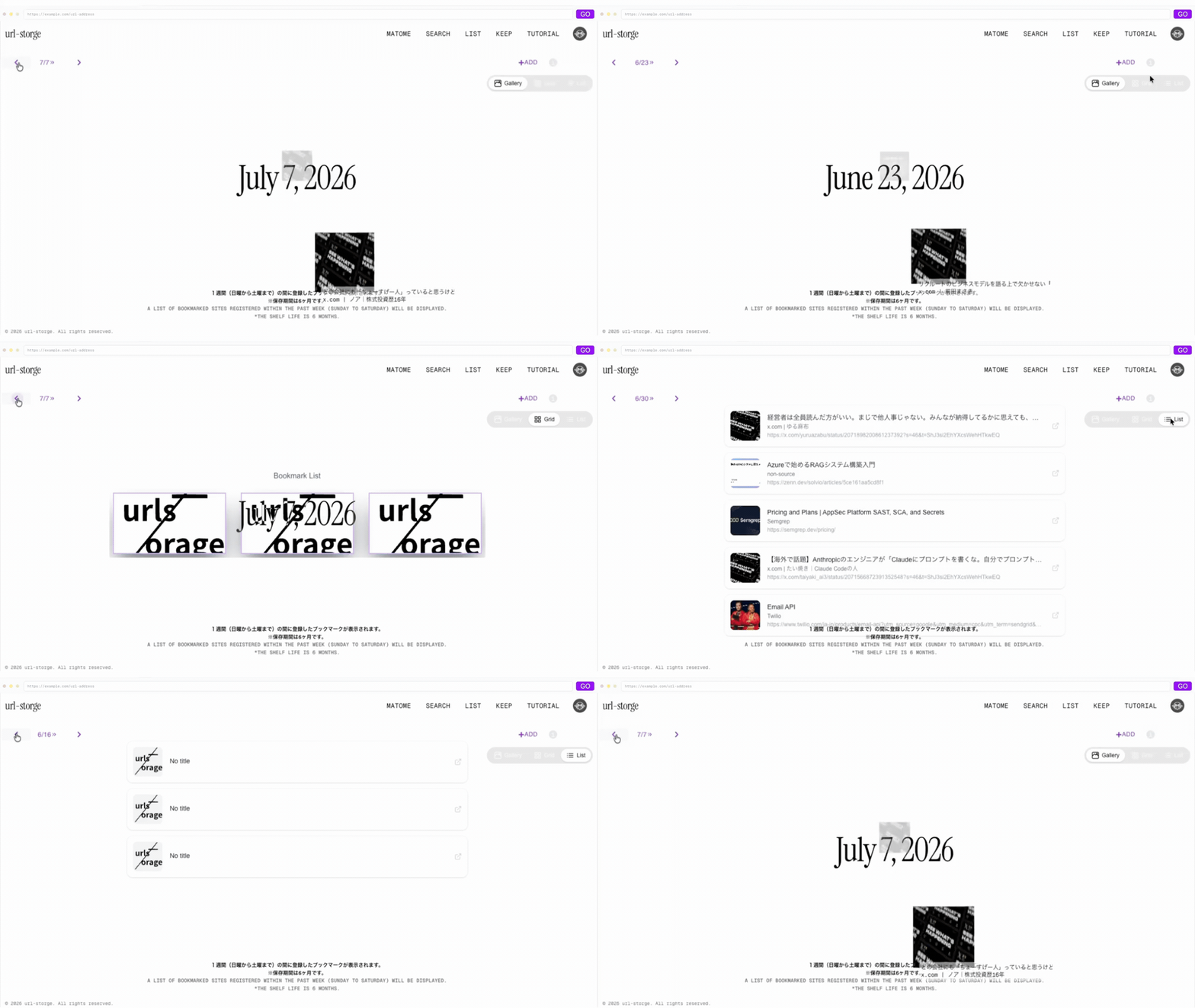
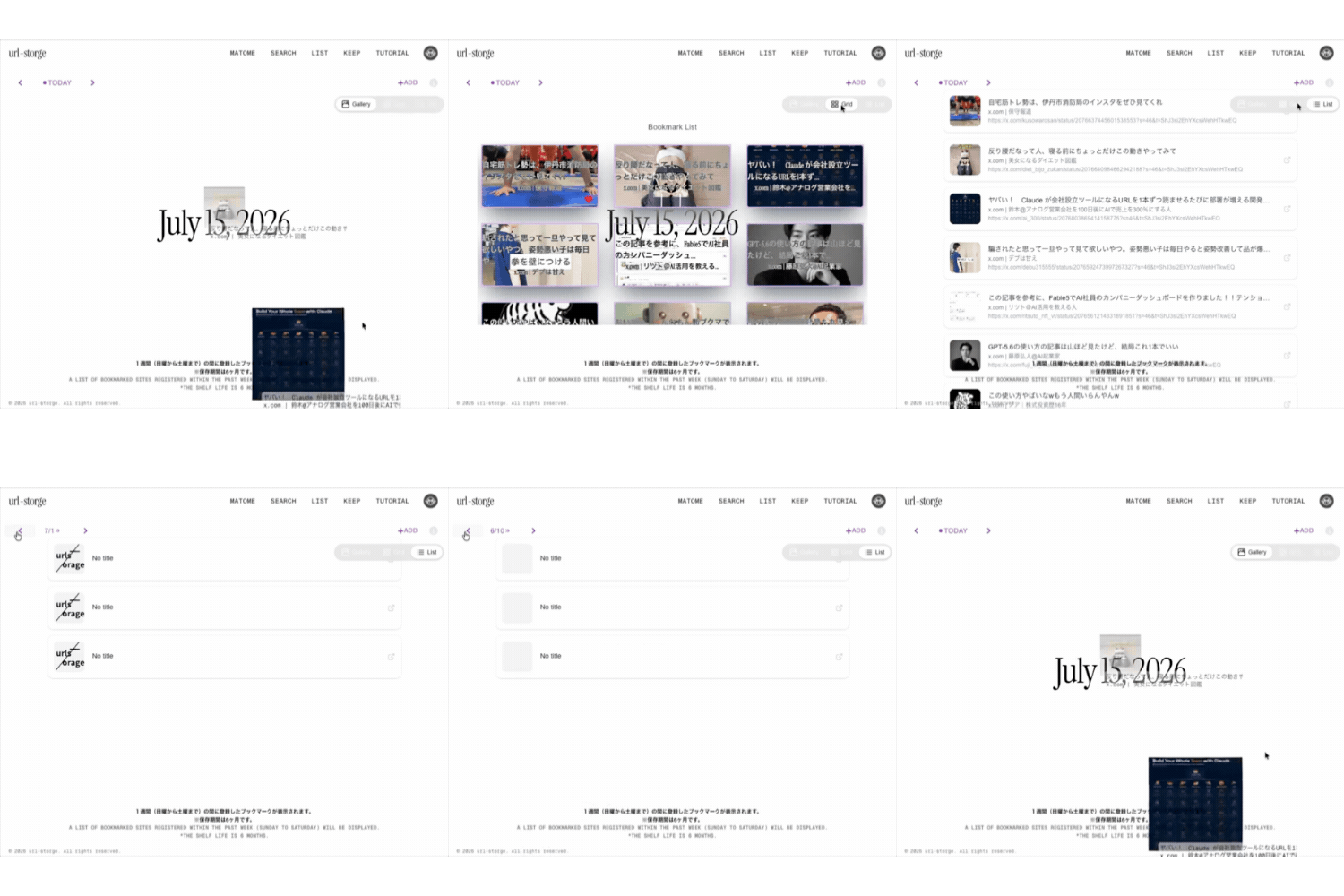
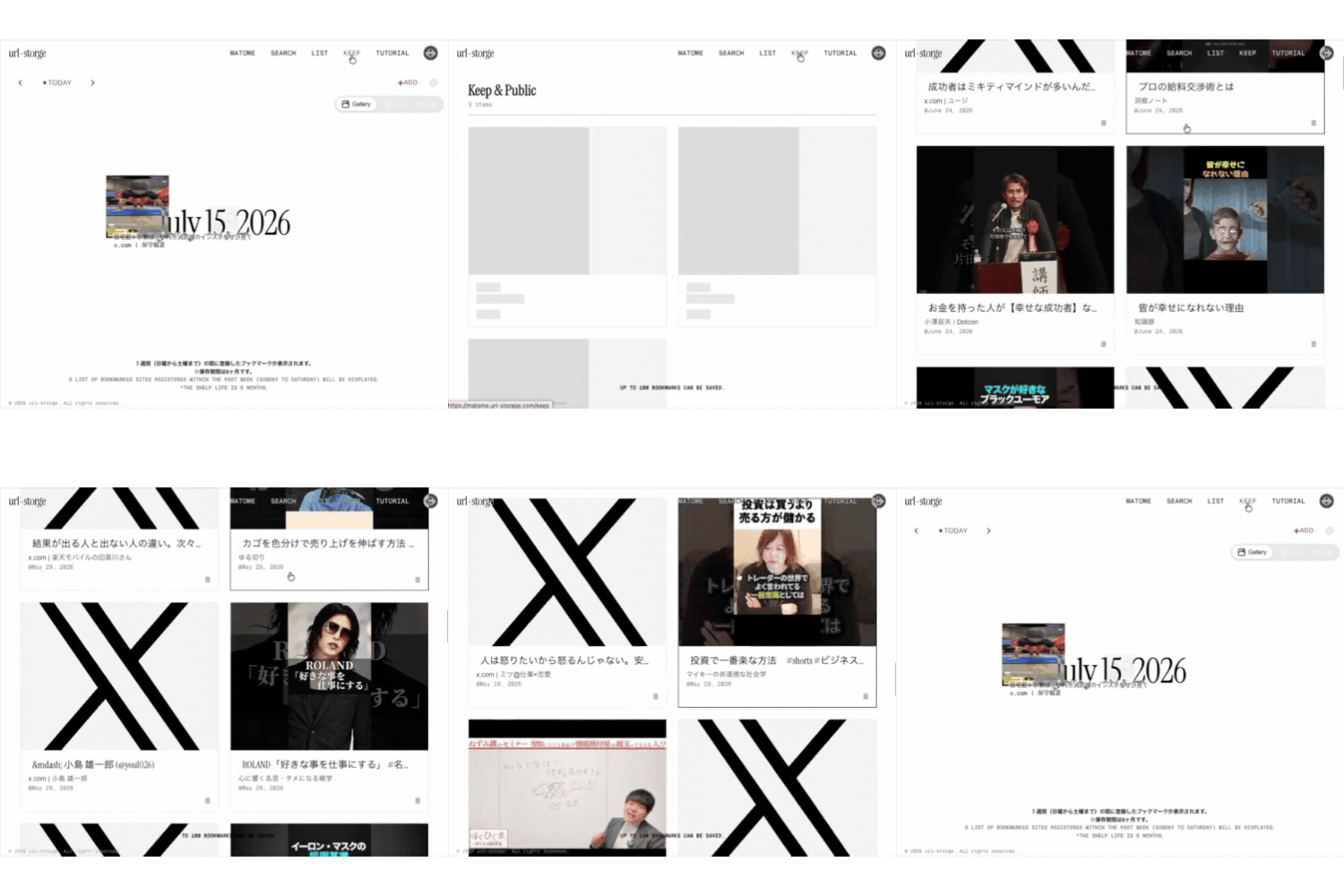
You can view your saved bookmarks in three formats, organized by week.

Dynamic View of saved URLs
02

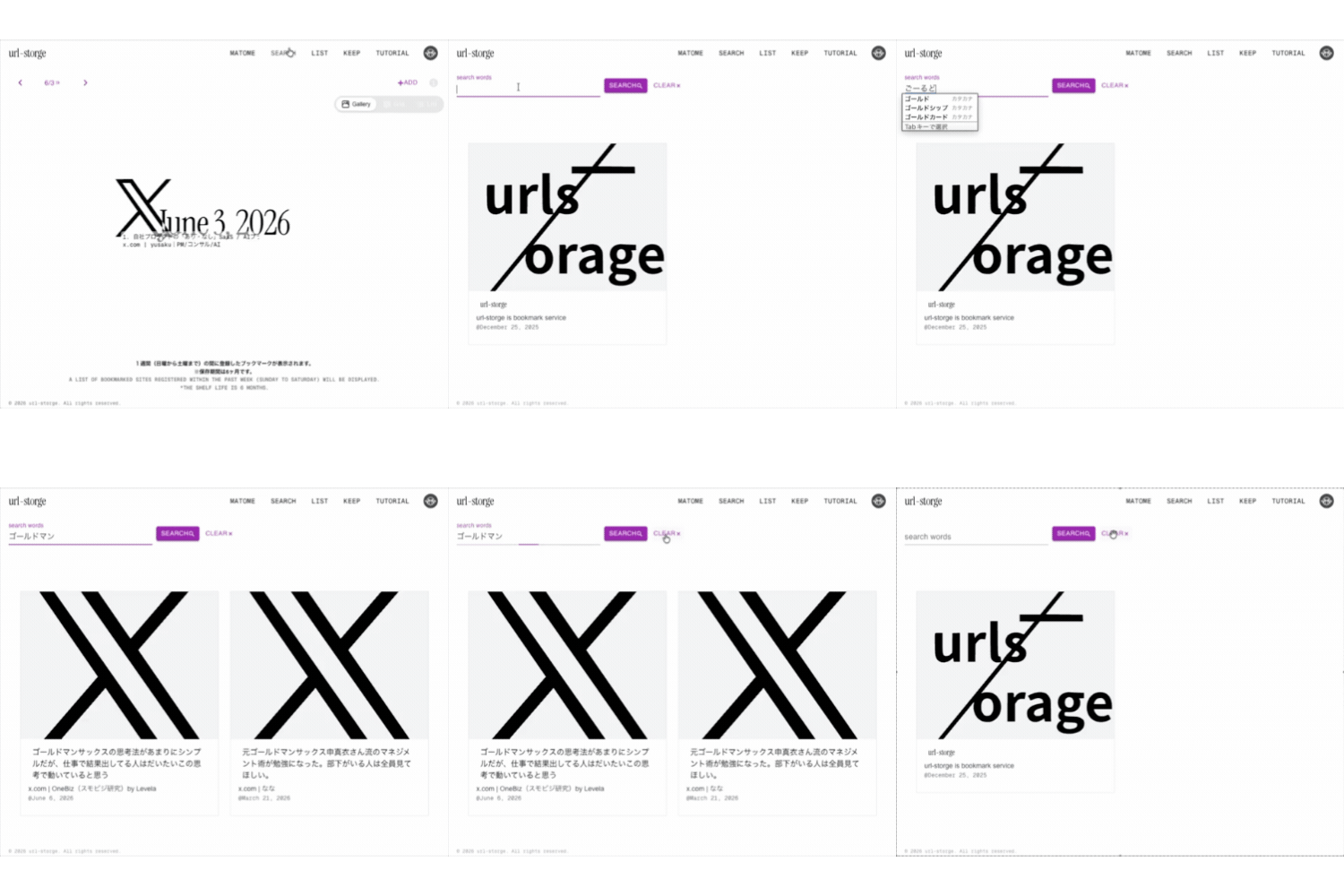
Search

You can perform a quick search from your bookmarks.

Dynamic View of saved URLs
03

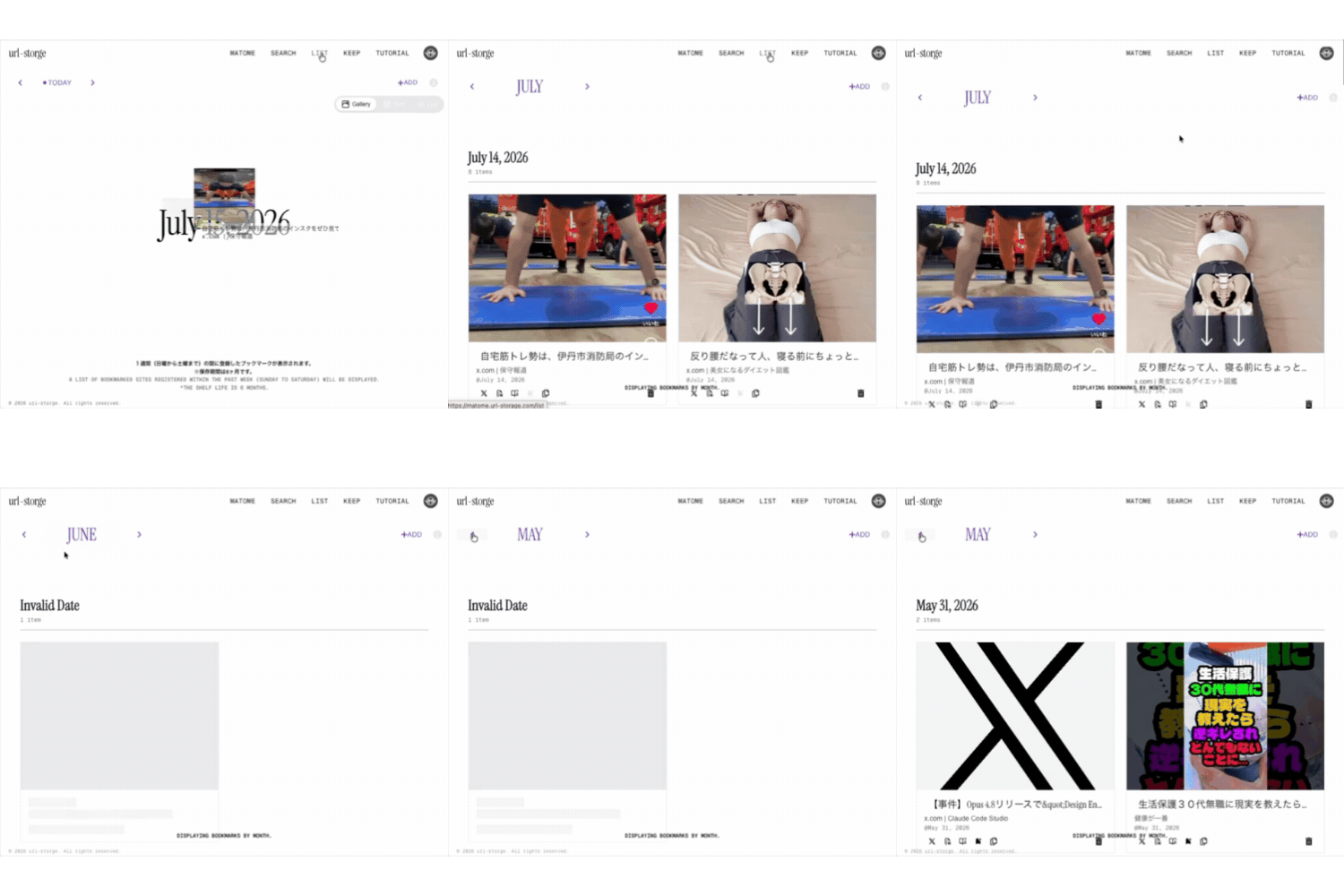
List

You can perform various operations on bookmarks organized by month.

Dynamic View of saved URLs
04

Keep

You can manage items to prevent them from being automatically deleted and make them public.

Dynamic View of saved URLs
03 / Urls Saved

Save at URLs

You can easily save various websites.

50+
URLs saved
and public
1-click
Chrome Extension
no copy-paste
Time efficiency,
Knowledge
and Growth
Save from anywhere

You can save it from the service site you are already using.

Before → After

From scattered to searchable.

Beforescattered · forgotten
XXQiitaQiitaYouTubeYouTubenotenoteGoogleGoogleAmazonAmazonPDFPDF
One Click
AfterDynamic View · one home
Dynamic View — every saved URL in one place
04 / How to save

1-Click Save

See something worth reading later? Grab it in one click.

[+ add] on the site

Click [+add] anywhere on the site. Your URL lands in your stash instantly — no copy-paste, no context switch.

add button
  • Auto-grabs the title and thumbnail.
  • Works in any browser.

Chrome extension

Save any page in one click. Never leaves your browser tab.

url-storage dynamic view
The extension isChrome Web Store →
05 / Storage period

Storage Period

Outdated content is automatically removed, so you only manage what matters most.

Shelf life

Stored for 6 months.

Because information has an expiration date.

Six months ago's “must-read” is today's noise. Every URL auto-deletes after 6 months—keeping your collection fresh and giving you a natural reminder to revisit what still matters.

LIFECYCLE
6-month window
M0
Saved
M1
Checked
M4
Revisit
M6
Auto-delete
Save interesting websites with one click.
Review them when you have time.
Access saved content instantly.
Expired links are removed automatically.
06 / Share

Your reading list =
your signature.

Publish any stash as a public page. One link — no PDF, no doc, no “send me that URL” DM.

E.g.AI papers I'm readingDesign refs I steal fromOnboarding starter packThis week's link roundupInterview study list

Signal your expertise.

The links you save = the topics you own. Let people see what you're deep in.

One link, not a hundred.

Stop copy-pasting URLs one by one in Slack. Send one page and let people pick.

Onboard your team in a URL.

New hires, interns, collaborators — hand off the required reading instantly.

matome.url-storage.com/personal/ebiLive
Public collection example
See a real public collection

Public by choice · Private by default · X (Twitter) share ready

07 / FAQ

Common questions.

Everything you need to know before you save your first URL.

01Is it free?+

Yes — free to start with Google login. No credit card required.

02How long are URLs stored?+

They are stored for six months from the date of saving. After that, they are automatically deleted, ensuring you access the latest information and aren't misled by outdated search results.

03Does it work on mobile?+

The web app opens in any modern browser, including mobile. The one-click save Extension is Chrome-only for now.

04Is it Chrome only?+

The Extension currently supports Chrome (and Chromium-based browsers like Edge/Brave). Firefox and Safari extensions are not yet available.

05Do I need to install anything?+

No. You can use url-storage from the web with just a Google login. Installing the Chrome Extension is optional — it just makes saving a single click.

06Can I share the items I've saved?+

Yes. Saved items are essentially registered to a public page, making them visible to anyone who has the ID.

07Can I delete account?+

As account deletion cannot be performed within the system, please contact us via the main site.

08What do I need to use it?+

Just a Google account.

09Who should I contact if I have a problem?+

Please contact me at this email address: nifty22t@gmail.com.

Still curious? Ask us directly →

08 / Contact

Have a question?

Drop us a line — a quick note is fine.

Required*

  • - E-Mail
  • - Message

If you do not hear from us within five days, please send an email to "nifty22@gmail.com".